One clock, and it is the point
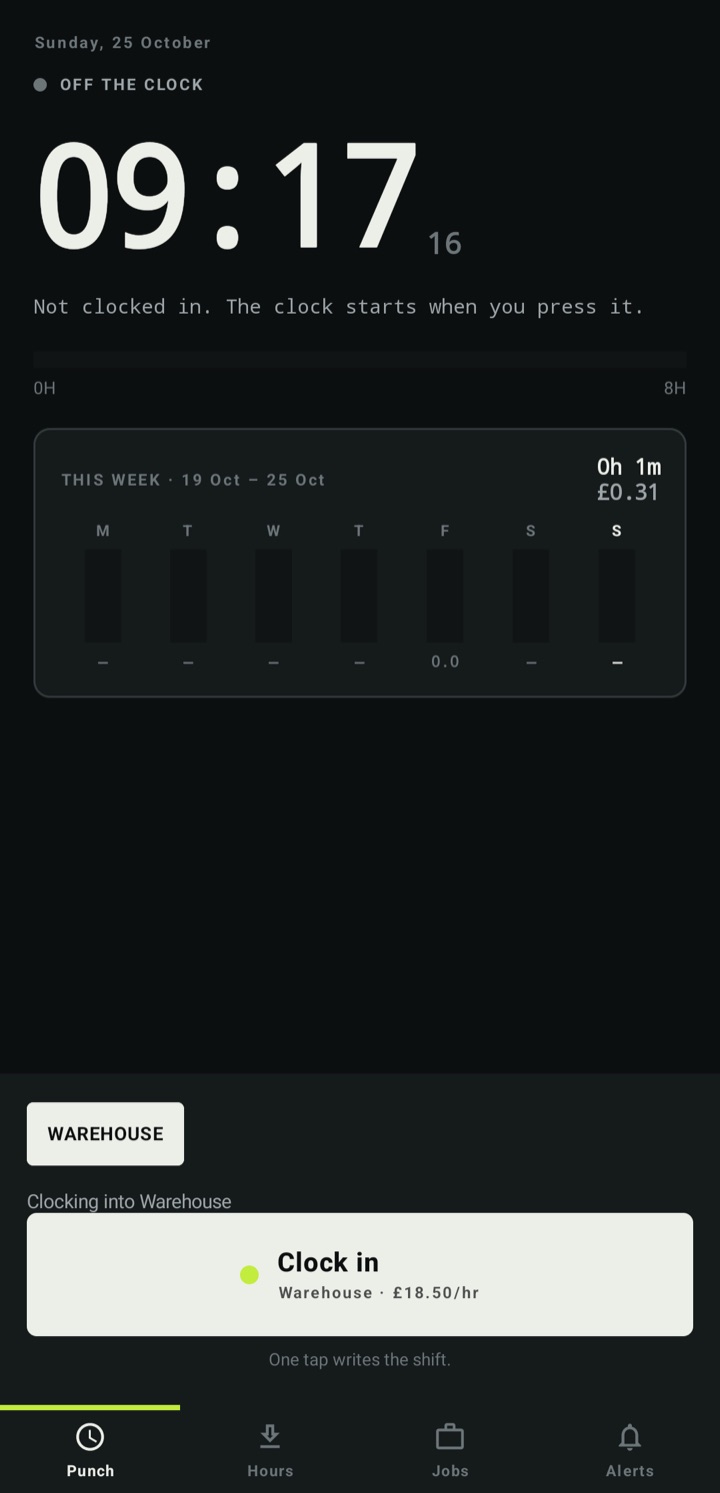
The screen opens on the clock. Everything else — the hours, the pay period, the jobs — is one tap away, because the common case is starting and stopping a shift.
The clock is the point
Clock in, clock out, and get paid for the hours you actually worked.
This week · 19–25 Oct
The arithmetic, shown
Hours, the rate you set, overtime rules and the figure that follows. The sum is visible, not a black box.
Take it to your next shift →Built for the shift, not the desk
The screen opens on the clock. Everything else — the hours, the pay period, the jobs — is one tap away, because the common case is starting and stopping a shift.
Weekly, fortnightly, monthly or the four-to-five pattern, and the hours in the period computed from the shifts you actually recorded.
If a shift runs long, the app asks whether you are still working rather than quietly billing you for it.
Hours, the rate you set, and the figure that follows — with the arithmetic shown rather than asked to be trusted.
Work for different employers or on different jobs, and each keeps its own hours while the clock stays shared.
CSV for whoever pays you, and a widget so the hours are visible without opening the app.
Timecard does not ask you to create an account, does not show advertising, and does not include analytics or crash-reporting services. Your hours stay on your device unless you deliberately use a feature that sends it somewhere.
No account, no sync, no analytics. A shift is written to the phone, and the export is a file you choose.
Read the privacy policy →On Google Play
Free to start. One optional purchase if you want the extras.
View on Google PlayRequires Android 8.0 (API 26) or newer.
Available on Google Play.